Sources checked · By VFIX Communications
The invoice looks familiar. The bank account is different. That is the moment to pause.
Consider this hypothetical dental-office scenario: your front desk is checking in a patient when an email arrives from what appears to be the practice’s regular supply company. The invoice matches an expected order, but the message asks you to use new bank details before the end of the day. Someone offers to handle it between appointments.
The useful question is not just whether the email looks convincing. It is whether the payment change has been confirmed through a contact method you trusted before this message arrived.
The FBI describes business email compromise, or BEC, as fraud in which a request appears to come from a familiar source. Criminals may imitate an address or obtain access to real billing conversations. A recognizable name and an existing thread therefore cannot establish that new payment instructions are legitimate. Read the FBI’s explanation of BEC.
Use a callback before changing payment details
The FBI recommends verifying changes to account numbers or payment procedures with the person making the request. IC3 also recommends a separate channel to confirm account-information changes. The office workflow below applies that guidance; the approval roles and recordkeeping are practical recommendations to adapt to your practice.
- Pause the change. Leave the vendor record and payment on hold while you check. Do not reply with account information or follow a new payment link to verify the request.
- Find a previously established contact. Use a vendor number already in your records that was independently established before the request. Avoid the number in the new email, its signature, or the changed invoice. If you lack a trusted contact, have the practice manager establish one independently before proceeding.
- Make a separate call. Reach the supplier’s authorized billing contact through that trusted route. Ask whether the change was requested and confirm the details through your approved verification process. A reply in the same email thread does not provide an independent check.
- Record the result and get approval. Note the vendor, invoice reference, contact method used, person reached, date, outcome, and approver in your restricted payment record. Keep full bank details in the approved finance system rather than a general help desk ticket. Where staffing permits, use a second authorized person to approve the change.
- Keep unresolved requests on hold. If you cannot reach the right person or the details conflict, escalate to the practice manager. Urgency should not override the check. A successful callback still leaves your normal invoice and payment approvals to complete.
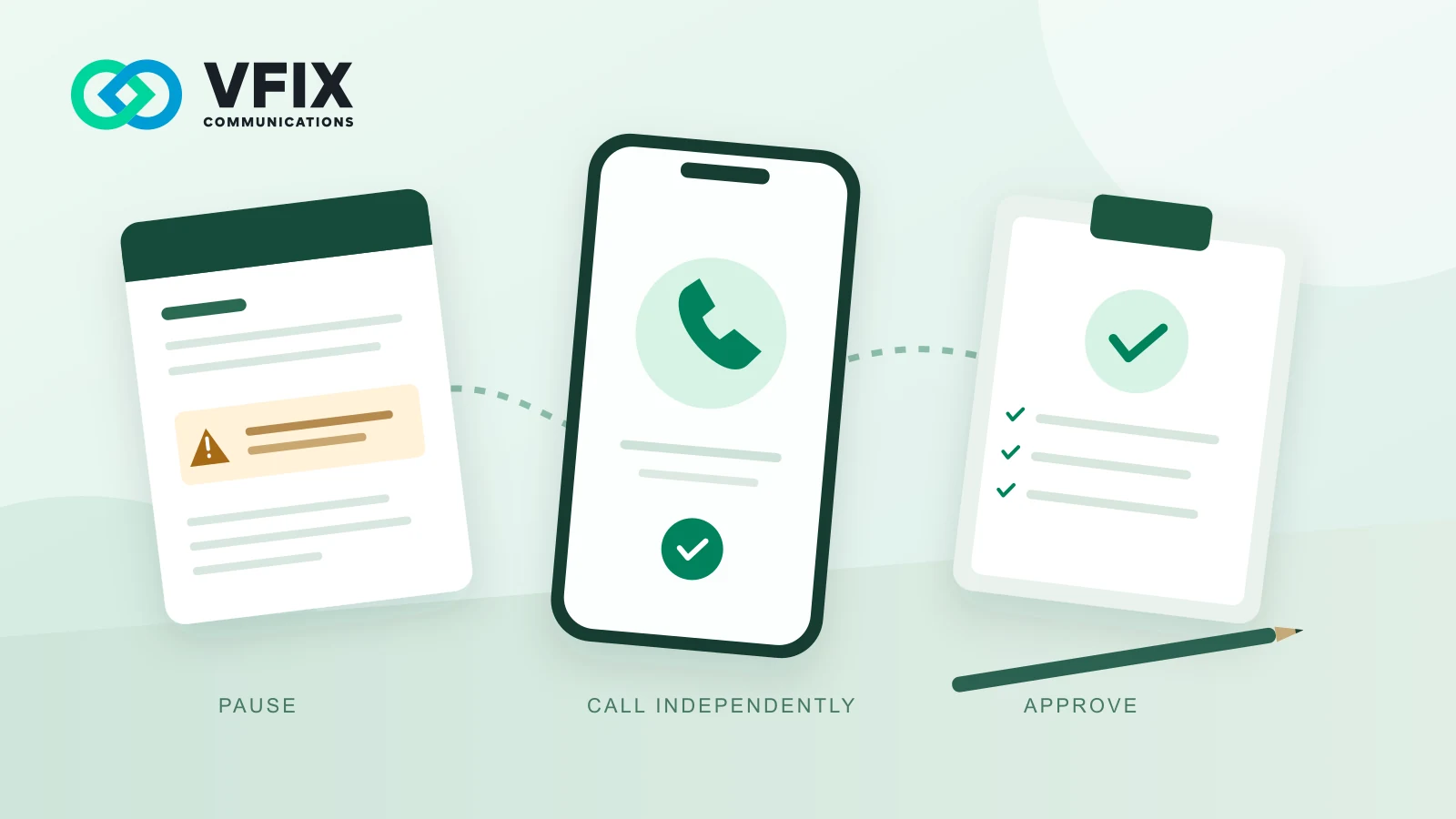
- PauseNew payment instructions arrive.
- Call independentlyUse a trusted contact already on file.
- Record and approveOnly after verification and normal approvals.
Cannot verify? Keep the change and payment on hold. Escalate to the practice manager.
VFIX’s recommended workflow, based on FBI and IC3 verification guidance. This is a process diagram, not measured fraud or loss data.
Make the rule work during a busy office day
A policy needs an owner and a backup. Decide who receives vendor changes, who makes the callback, and who may update the payment record when the usual manager is away. Keep the trusted contact list somewhere authorized staff can reach without searching the suspicious thread.
Try a short staff exercise using a fictional supplier and invented payment details. Ask a colleague to explain which number they would call and what they would do if nobody answered. Do not send money or alter a real vendor record during the exercise. The goal is to find a missing contact or an unclear approval step before a real request arrives.
A useful script is: We received a request to change payment instructions. I’m calling the contact we already have on file to verify it before we make any changes.
Give staff clear permission to use that pause, even when a message appears to come from the owner.
Protect the mailbox as well as the payment process
Ask your IT provider to review multifactor authentication for business email and administrative accounts, including phishing-resistant options where supported. NIST explains that MFA adds another barrier when a password is stolen and that some methods resist phishing better than others. NIST’s small-business MFA guide is a useful starting point.
Account security and payment verification address different questions: who can access the mailbox, and whether the business has authorized a particular change. Keep both in your routine. If a Microsoft 365 account may be compromised, contact your IT provider promptly to contain the issue and investigate sign-ins, forwarding, inbox rules, and other persistence mechanisms. See Microsoft’s compromised-account guidance.
If a suspicious payment has already been sent
Contact the financial institution that sent the payment immediately through its established fraud contact route. IC3 advises requesting a recall or reversal and filing a detailed complaint at IC3.gov. Ask the institution what information and documents it needs; neither a recall request nor a complaint guarantees recovery. Use IC3’s BEC response guidance.
At the same time, alert the practice manager and IT provider. Preserve the original message and transaction references through your approved incident-reporting process; IC3’s evidence guidance explains the importance of keeping original records securely. Use a trusted way to contact the response team if the usual mailbox may be involved. The bank handles the payment-recovery request; IT investigates the suspected account or message issue.
Give your team one clear next step
Before the next supplier payment, choose the callback owner and confirm that the practice has a trusted billing contact for that supplier. That small piece of preparation makes the checklist usable when the front desk is busy.
For Bay Area dental practices reviewing staff training and ongoing IT support, explore VFIX PhishGuard, VFIX’s dental IT services, and our managed IT services. Talk with VFIX about your current setup and the service scope your practice needs.
Sources and scope
Primary sources checked October 19, 2026: FBI: Business Email Compromise; IC3: BEC prevention and response; IC3: Retaining evidence; NIST: Multi-Factor Authentication (updated January 5, 2026); Microsoft: Respond to a compromised cloud email account (updated July 17, 2026).
The scenario and office workflow are illustrative recommendations. U.S. federal guidance is applied to an office setting; this article does not claim Bay Area or dental-industry incident rates, guaranteed prevention, funds recovery, or regulatory compliance.