
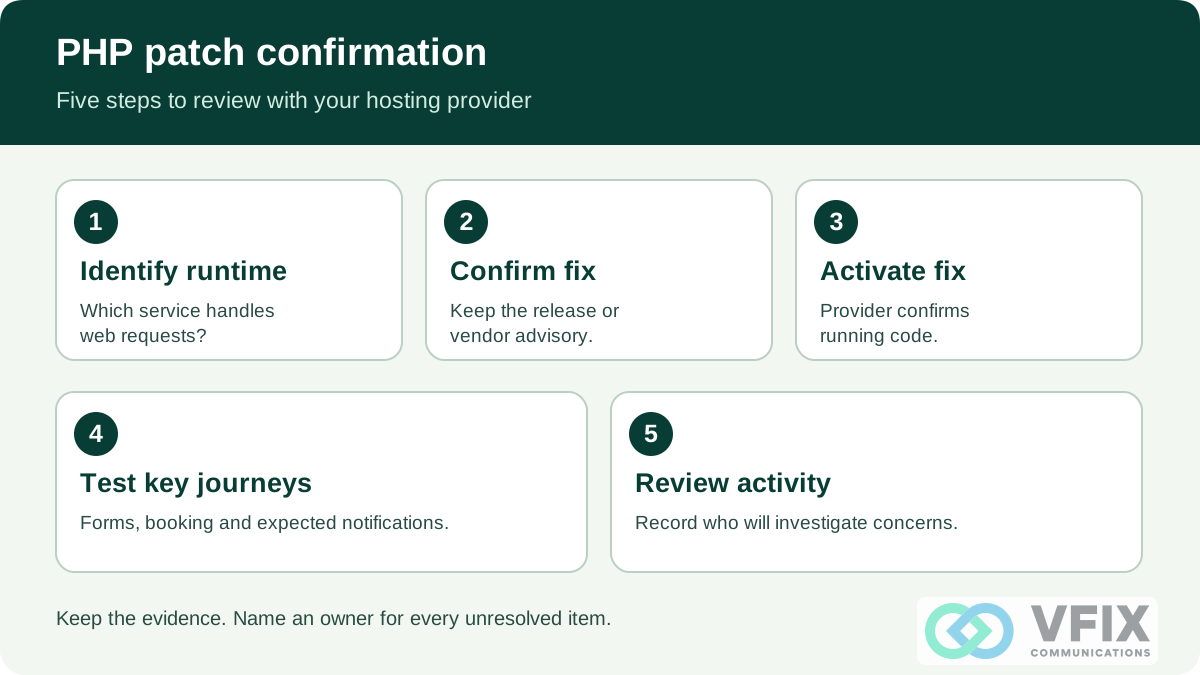
- 1. Identify runtimeWhich service handles web requests?
- 2. Confirm fixKeep the release or vendor advisory.
- 3. Activate fixProvider confirms running code.
- 4. Test key journeysForms, booking and expected notifications.
- 5. Review activityRecord who will investigate concerns.
Keep the evidence. Name an owner for every unresolved item.
Sources checked · By VFIX Communications
Your website can look normal while its hosting software needs an urgent update. If your business website uses PHP, contact the hosting provider or website administrator now and ask for written confirmation that the PHP runtime serving your site has received the October 21 security fixes. ENISA’s joint advisory calls for identifying PHP applications and coordinating updates with providers, prioritizing internet-facing systems. ENISA joint statement
For a small business or dental practice, a useful response has three parts: what was fixed, when the fix became active, and whether the website’s important functions still work.
What happened?
On October 21, the PHP project released emergency fixes for CVE-2026-109618 and CVE-2026-109619, two critical flaws in PHP’s runtime. Under exploitable conditions, an attacker could run code on a vulnerable server without signing in. The PHP Foundation’s release explanation
Both official advisories list 9.2 under CVSS v4.0, a technical severity score. That score is not a probability that your website has been breached. First PHP advisory, second PHP advisory
PHP urges updates for all installations serving web requests. It identifies Apache with mod_php as the highest-risk configuration, with a demonstrated attack before application code runs. This does not establish identical exploitation across every hosting setup. PHP security announcement
Which PHP versions contain the fixes?
The October 21 releases listed in both PHP advisories are:
| PHP branch | Fixed release |
|---|---|
| 8.2 | 8.2.35 |
| 8.3 | 8.3.36 |
| 8.4 | 8.4.27 |
| 8.5 | 8.5.12 |
PHP advisory: patched versions, related advisory
A vendor may supply a backported fix while retaining an older-looking version number. Ask for the vendor’s advisory and package confirmation. PHP also provided exceptional minimal source backports for 7.4, 8.0 and 8.1; those branches remain outside normal upstream support. PHP update guidance
Ask for evidence you can keep
Use this checklist as an owner’s handoff to the provider. It is a confirmation process, not a remote vulnerability test.
Identify the runtime. List the public website, relevant subdomains and separately hosted booking or form services. Ask which use PHP and who maintains each one. Request the PHP version and package actually serving web requests.
Confirm both fixes. Ask the provider to identify the fixed release or vendor package that addresses both CVEs. Save the advisory link, ticket number, responsible person and completion time. “Updates are enabled” leaves the completion question unanswered.
Confirm the running service changed. Have the provider explain how the new code became active, including any required restart or replacement of PHP workers. Ask them to confirm that all relevant instances were covered. Do not change server settings yourself based on a headline.
Test the business journeys. After the provider’s update, check the contact form, appointment request, login and other functions you actually use. Arrange a clearly marked test with staff; avoid real patient or customer information. Record whether the expected confirmation and notification arrived.
Review suspicious activity. Ask the provider whether it found relevant alerts or unexpected changes and who will investigate them. Keep the patch ticket separate from any incident investigation. Fixing a vulnerability does not establish that a server was never compromised.
Does updating WordPress or adding a firewall rule finish the job?
Ask for PHP-specific confirmation. A WordPress or plugin update, or a web application firewall rule, is not by itself evidence that the PHP runtime has been patched. This follows from PHP’s warning that only the update provides a complete fix; temporary controls cover particular attack paths. PHP advisory: mitigation limits
If the provider cannot confirm a fix, request an escalation owner, a completion time and a plan for managing exposure while the update is arranged. ENISA advises considering isolation of exposed applications when immediate remediation is not feasible. Have the responsible provider assess that decision and its effect on your services. ENISA joint statement
What does the exploitation news actually show?
AWS reported an attempt in its MadPot honeypot telemetry dating to October 17, before public disclosure, followed by further attempts. AWS explicitly says it is unclear whether the observed attempts would have succeeded against real systems. That evidence warrants prompt attention; it does not prove that your business, a Bay Area practice or any patient records were compromised. AWS threat intelligence report
A message to send your provider
Need a clearer owner for these follow-ups? Bring the provider’s response to a VFIX consultation. Discuss the responsibilities, evidence and next steps that fit your business.
Related reading: Plan for a security incident and build a practical security baseline.